inshot editing app is a video editing app which is both used in ios and android . it has all type option in editing. Inshot is very easy to do editing. It has also payment option.
After opening the inshot app interface will be open
Additing photo
Click the photo option from the interface where you can upload the image from the gallery
Default orientation will be 1:1 or there will be down arrow there you press you can see it bigger as size of the screen
to know more about inshot click here
Adding video
Click on the video option from InShot app; after select the video from the device, you can trim it before importing it by clicking the scissors icon
If you scroll the video at the bottom, you can choose the part you want to edit. If you skip trimming as the first you can trim the video here, too. Click the video then you can see the trim option at the bottom Tapping again you can give the addition option to the video
The plus sign on the bottom-left you can add a blank section, a photo or video. If You want to add a blank section to a video to create a sticker or text to a blank canvas. Whatever you want to add in your original video, then you can move the edit slider to those new sections. Long-press to swap and rearrange your video.
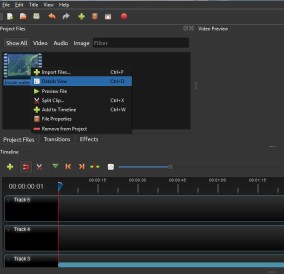
InShot App Photo and Video Editing Features-inshot editing app
The row of editing options the along the bottom opens up additional options and menus. In this app undo and redo arrows,press the play button and you can see the changes in the video
Video Manipulation: Precut, Duplicate, Speed and Delete -inshot editing app
In Precut menu, you can trim, cut or split your video. There’s also a separate Split menu option that you can click on to create a break in the video based on where you are in the video slider at the bottom. When you create a split, you can then tap on a transition icon in the slider to bring up a menu of different transitions to apply
The Duplicate option can duplicate the video. The Speed of the video can slow down or speed up the video. In this we have the delete option There’s also a Delete option
read more about i movies click here
